
Overview
The Action Control component creates action buttons in an App built with the App Builder components. Each button links to a specific action.
You can customize the button with a label, icon, and tooltip. The component takes an Action as input, created by one of the Action components of the plugin.
You can then include the created control in a Controls Widget within the App.
First example
Download an example definition here.
The example below starts with a simple box that has two inputs: height and color.
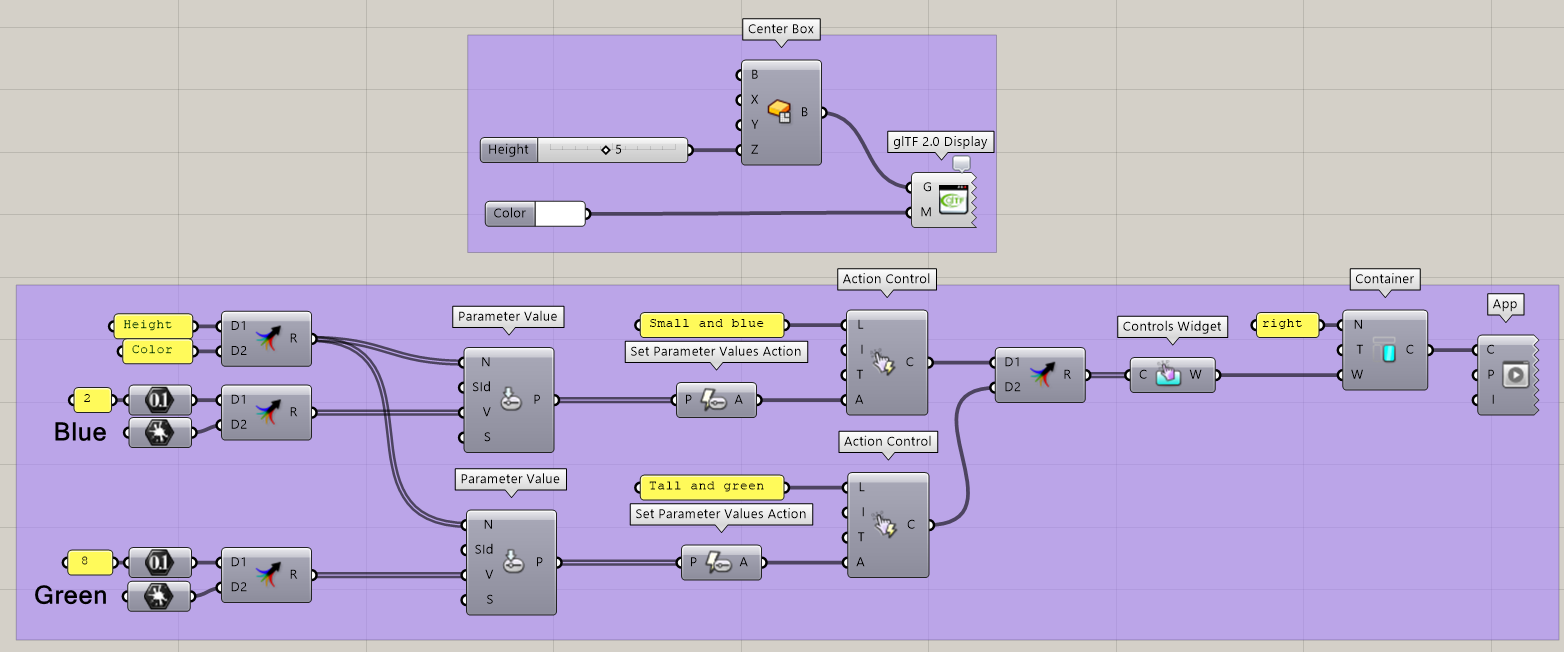
Using the App Builder components, create an App with a single Container on the right. In this container, define one Controls Widget that includes two Action Controls. Both controls link to Set Parameter Values actions:
-
The first control, “Small and blue,” sets the Height parameter to 2 and the Color parameter to Blue.
-
The second control, “Tall and green,” sets the Height parameter to 8 and the Color parameter to Green.
The created App looks like this:
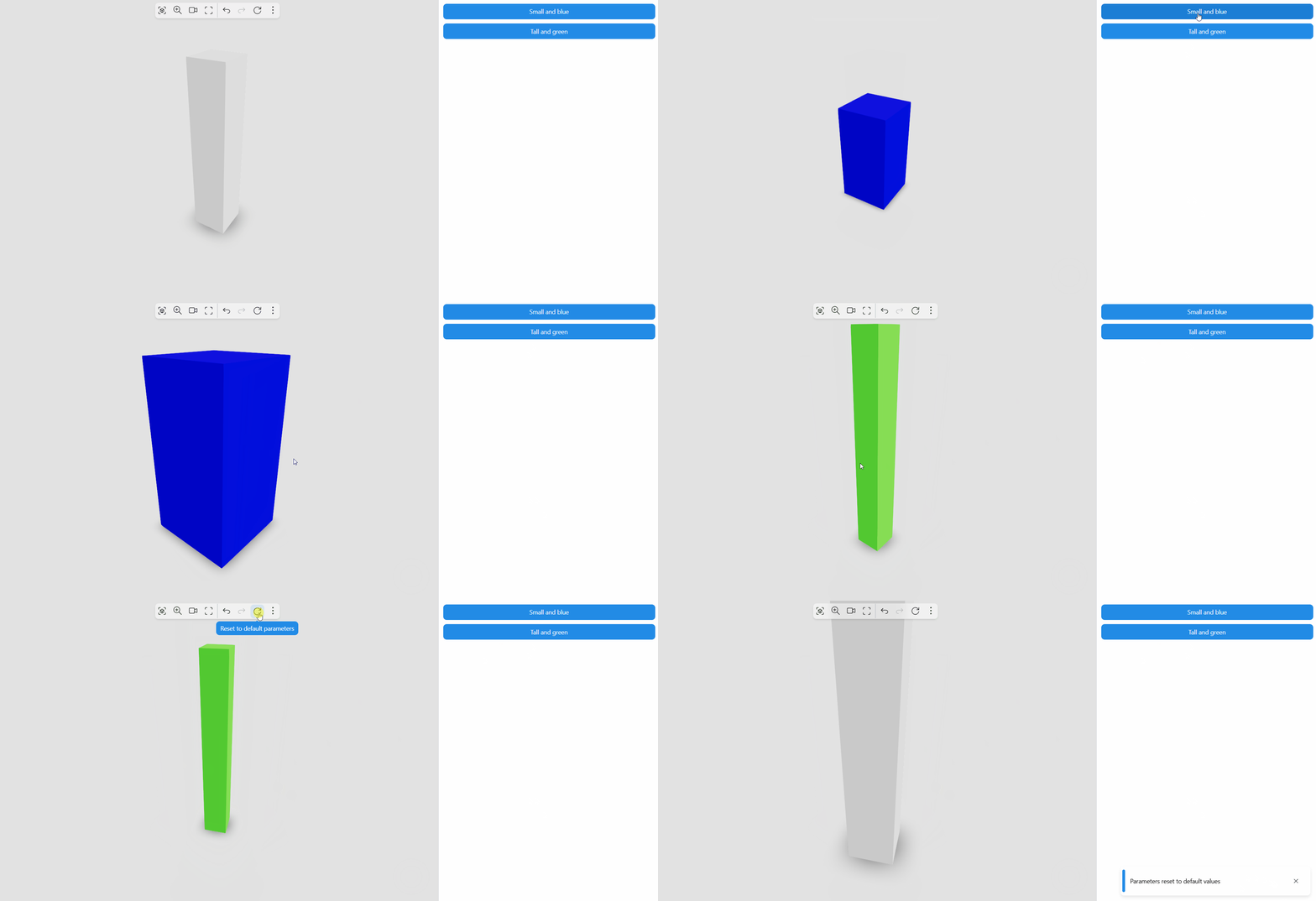
Read more about the Set Parameter Values action to learn more about this specific action. You can link multiple actions with Action Control components.