
You can define global settings that you can apply to individual Shopify products. Using global settings allows you to quickly change settings for a large number (or all) of your products. Configure global settings here:
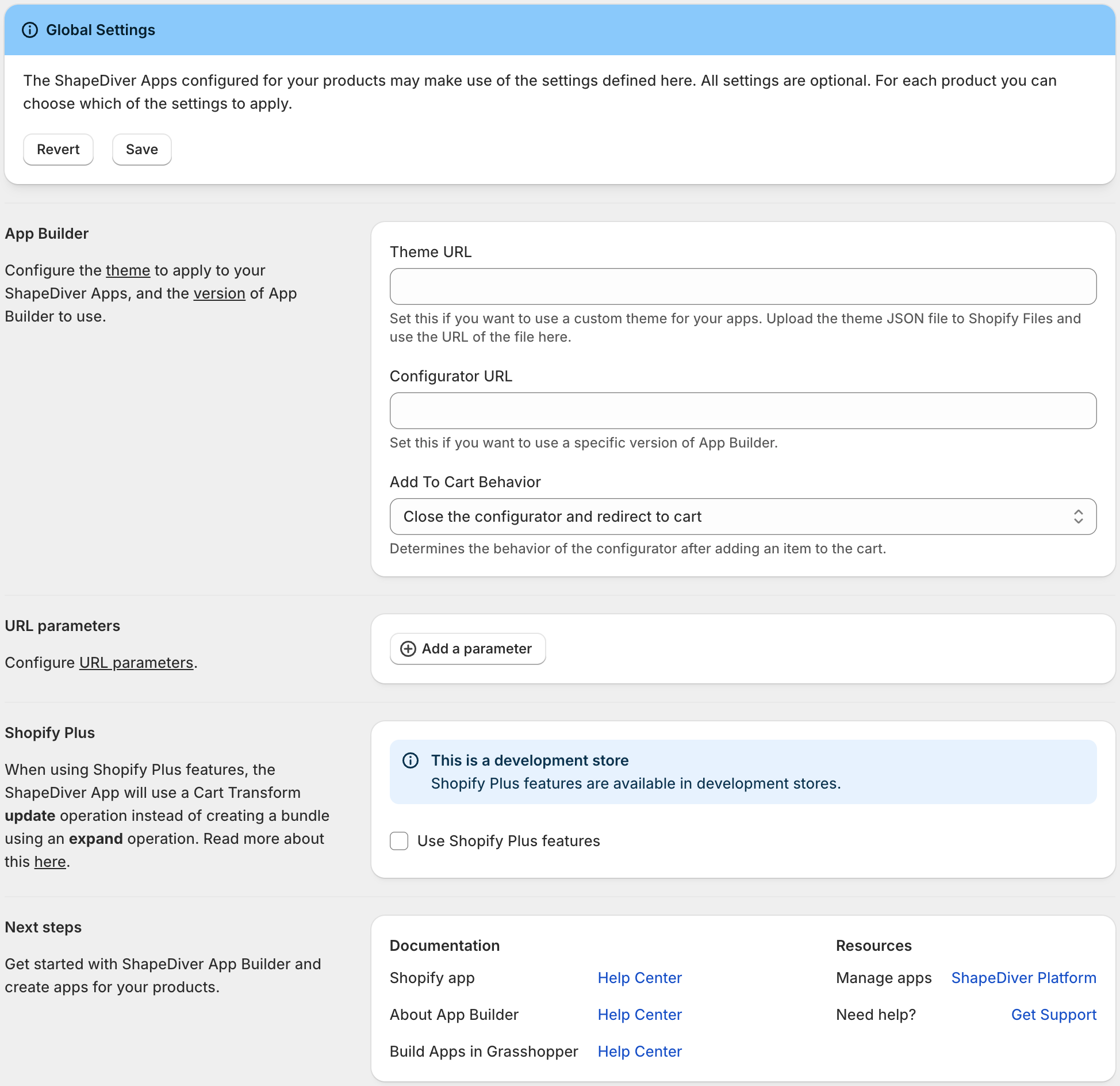
The ShapeDiver Apps configured for your products may make use of the global settings defined here. All settings are optional.
For each product you can choose which of the settings to apply.
This table contains a description of all available settings:
|
Setting |
Description |
|---|---|
|
Theme URL |
Global default URL of the JSON file defining the App Builder settings. Use this to configure the theme to be applied to App Builder. This can be a relative or absolute URL. Read more about customizing the theme here. You can use Shopify’s file upload feature to host this JSON file. |
|
Configurator URL |
Global default configurator URL. If left empty, the default version of ShapeDiver App Builder will be used, which is https://appbuilder.shapediver.com/v1/main/latest/ Read more about versioning of App Builder here. If you are using iJewel3D, please configure the Configurator URL as described here: ShapeDiver iJewel3D integration |
|
Add To Cart Behavior |
Use this to configure how the configurators should behave whenever a customer adds a product to the cart. |
|
URL parameters |
URL parameters allow you to influence the behavior of your App Builder configurator. Read more about it in section Embed Apps in external websites. For each product you can choose which globally defined URL parameters to apply. It is possible inject custom values for URL parameters, as described in Shopify - Advanced Customization. |
|
Shopify Plus |
If you have a Shopify Plus subscription, checking this button enables you to use custom images and titles for line items added to the cart. Shopify Plus features are generally available on client transfer and dev stores. |