The Create Model State Action component creates an Action that creates a model state from the current state of the App.
The action can be triggered in the App using an Action Control button, or used in other contexts (upcoming feature).
First example
The definition below defines a box from the “Width” and “Height” slider inputs:
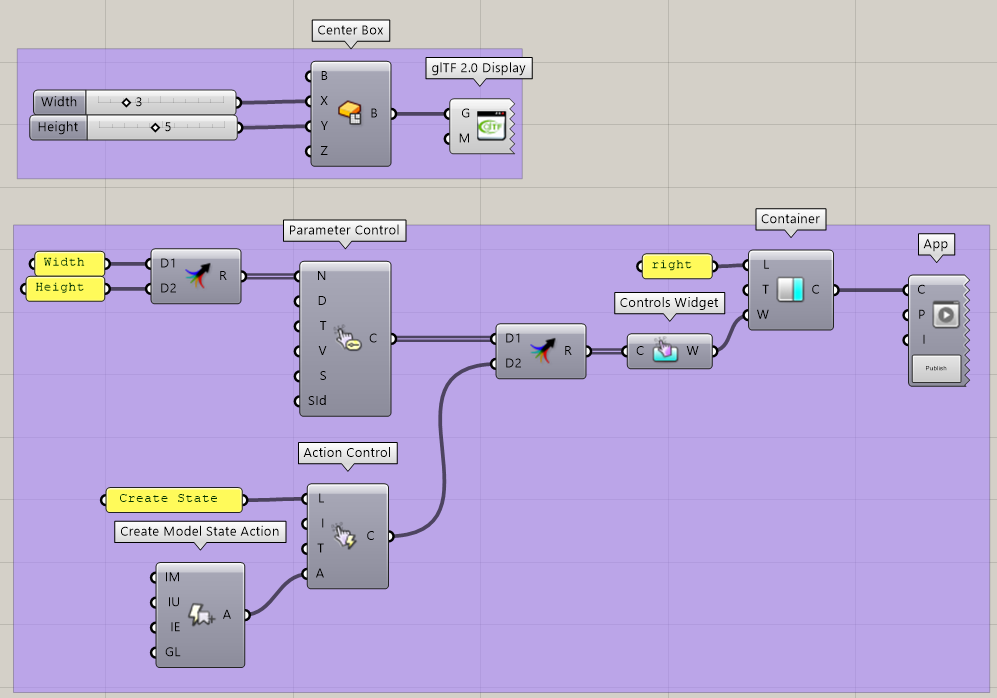
The second group builds an App from a single right Container, which contains a single Controls Widget. In the widget, we include:
-
Two Parameter Controls (sliders) for the “Width and “Height” inputs.
-
One button created through an Action Control component and driven by a Create Model State action.
In the final App, users are able to update the Width and Height parameter and click on the button to save the current parameter state:
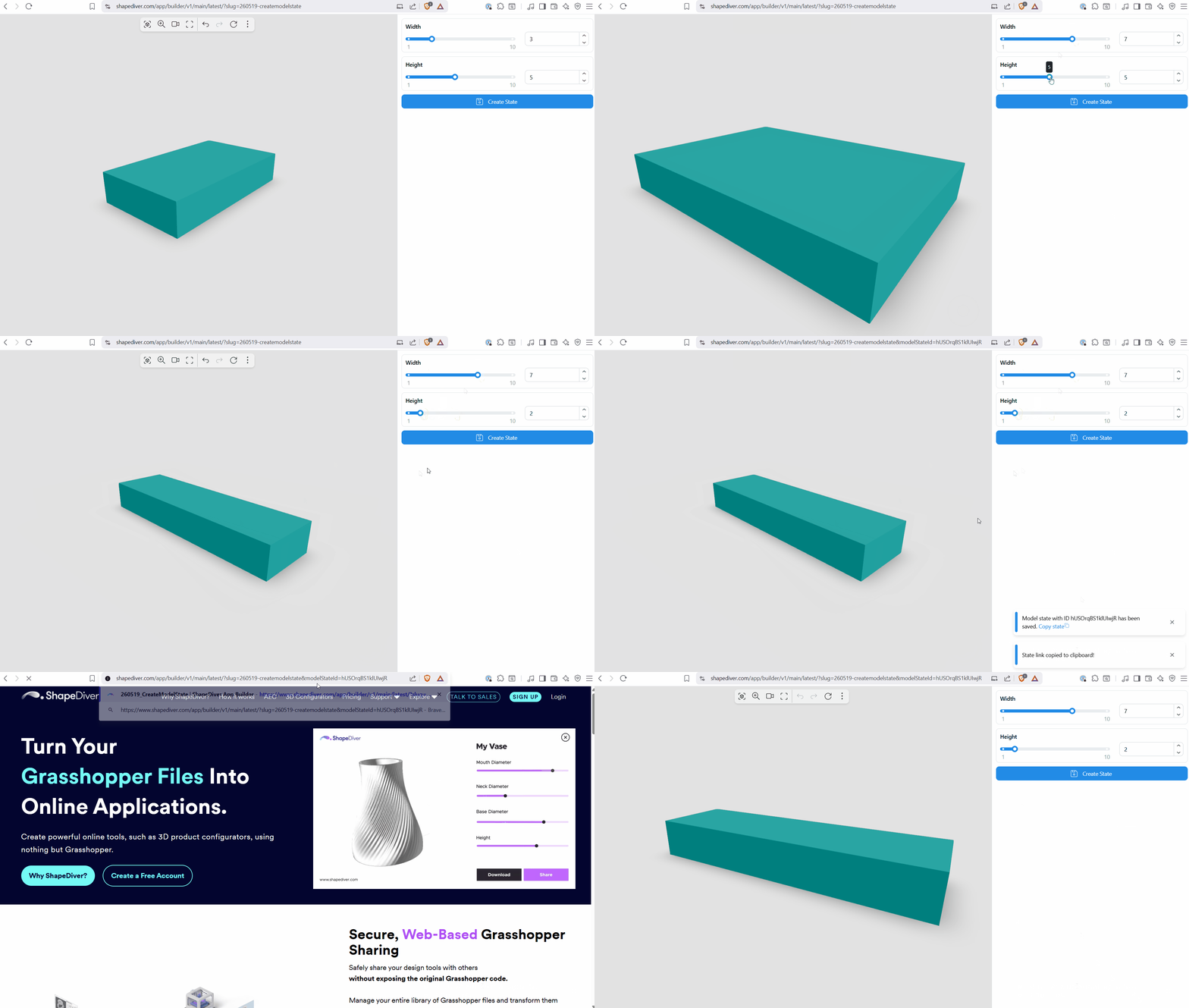
After clicking on the button, it is possible to copy a direct link to the state that can be used to reload
Optional inputs
The component includes the following inputs:
-
Image (IM): Include an screenshot of the state when saving the model state. This image can be shown in various contexts when loading the state through the platform, the Shopify plugin or when using the platform API to create a custom application.
-
URI (IU): Public URI of an image to be used instead of a screenshot.
-
Export Name (IE): Named of an export component creating an image to be used instead of a screenshot. Takes precedence over the URI input.
-
glTF (GL): Include a glTF object of the scene with the model state.