
Overview
The Multiple Accordion Widget component can be used along the other App Builder components to create a series of accordion elements grouped together in the interface of the App. Grouped accordions are displayed as a block without spaces between them. Additionally, the inputs of the Multiple Accordion Widget make it possible to control the behaviour of each accordion separately and within the group.
First example
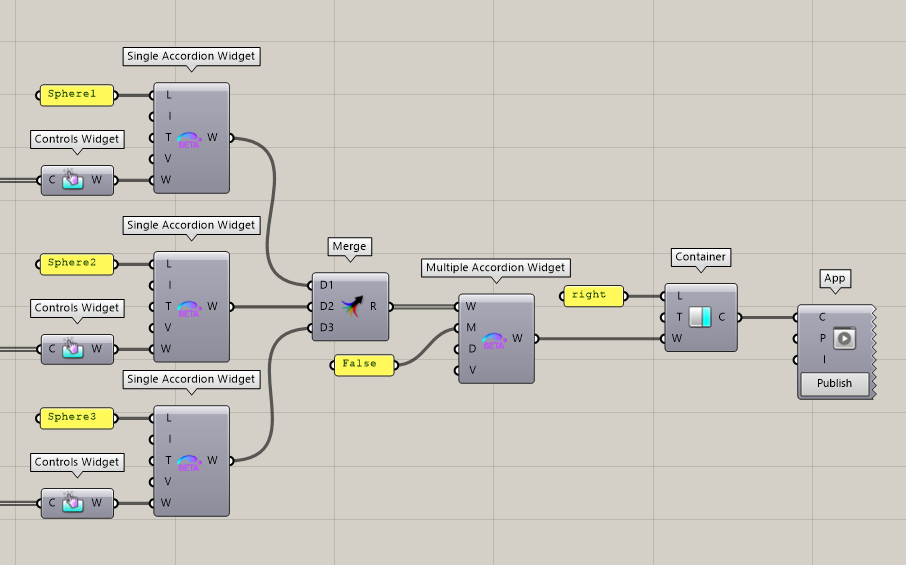
The definition below defines an App with a single right Container, itself containing a Multiple Accordion Widget. The widget is built from three Single Accordion Widgets, each containing their own Controls Widget:
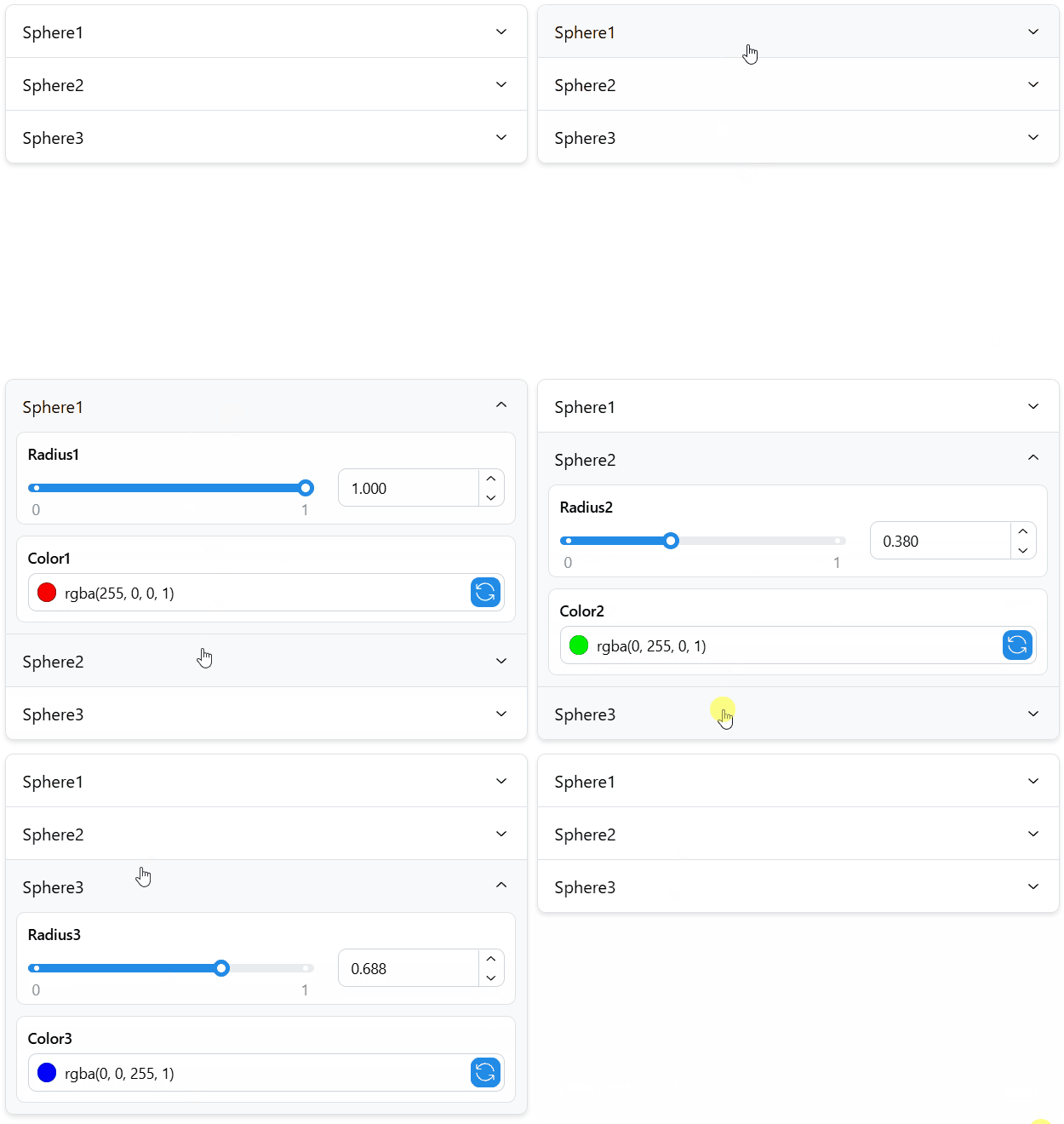
The resulting UI element in the App looks as follows:
Properties
The Multiple Accordion Widget accepts a list of Single Accordion Widgets (W) as input to create a unified multiple accordion in the App’s interface. The created Widget can be included in a Tab, or directly in a Container of the App.
Use the Multiple (M) input to decide if only a single accordion or multiple ones can be expanded simultaneously in the App. By default, this input is set to false.
Outputs
The Multiple Accordion Widget can then be sent to a Tab or directly to a Container of the App. It can also be included in further Accordion and Stack Widgets.