
Overview
The Single Accordion Widget component can be used along the other App Builder components to group several widgets within an accordion element which can be expanded or closed by users of an App.
First example
Download an example definition here.
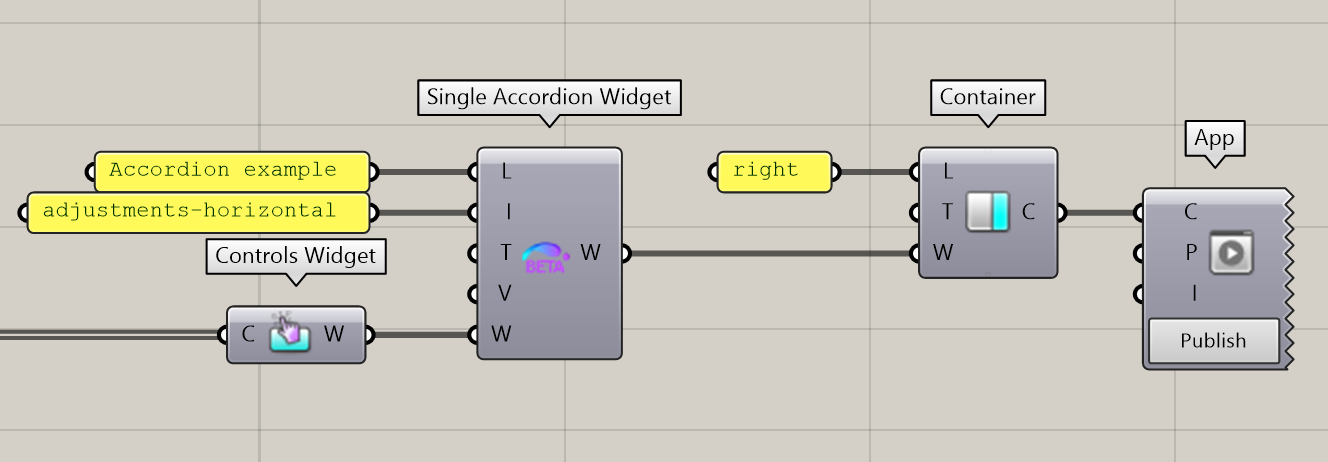
The definition below defines an App with a single right Container, itself containing a Single Accordion Widget with a label, an icon and a nested Controls Widget:
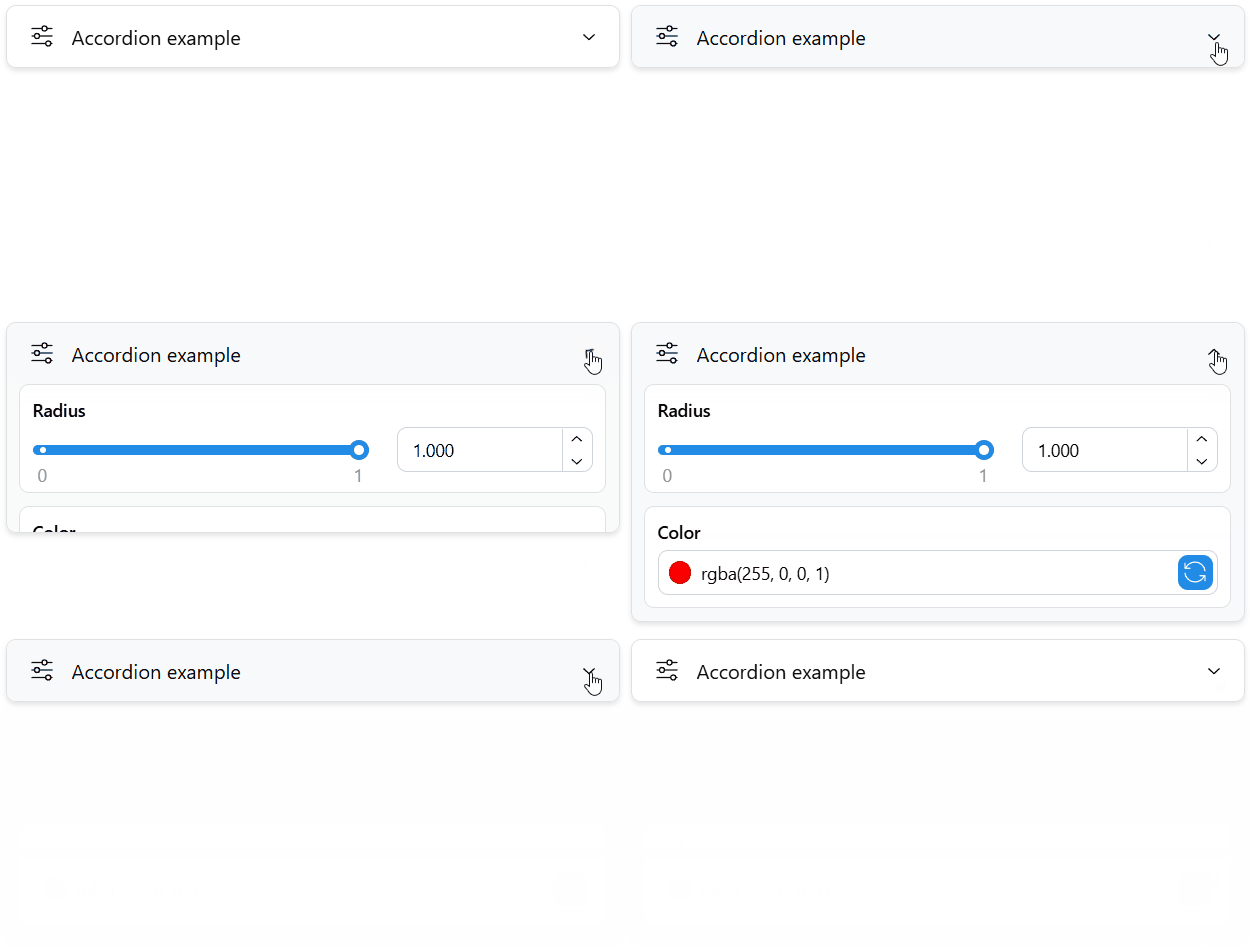
The corresponding UI element in the App looks as follows:
Properties
The component includes inputs to define a Label (L), and Icon (I), a Tooltip (T), and a list of Widgets (W) to include in the accordion. Any other widgets of the plugin can be used, including further nested accordion widgets.
Usage within a Multiple Accordion Widget
The Single Accordion Widget can be used alone or along other ones within a Multiple Accordion Widget. The Multiple Accordion Widget can make use of the specified Value (V) of each single accordion to determine its behaviour. If you are using a Single Accordion Widget alone, this input can be left empty.
Outputs
The Single Accordion Widget can then be sent to a Tab or directly to a Container of the App. It can also be included in further Accordion and Stack Widgets.