
Overview
The Output Control component can be used to reference one of the structured outputs of the definition in an App built with the App Builder components. The component links to a structured output defined by a ShapeDiver Output component, using its name and allows overriding several of the properties defining the control in the final App.
Unlike Display outputs, the ShapeDiver Output component defines structured data outputs, retaining the Grasshopper data structure and any attributes stored in the objects. These outputs can be used for attribute visualization and within desktop clients.
The created control can then be included in a Controls Widget within the App.
First example
The definition below includes a single sphere controlled by its radius and sent to a ShapeDiver Output component after including an attribute containing its volume:
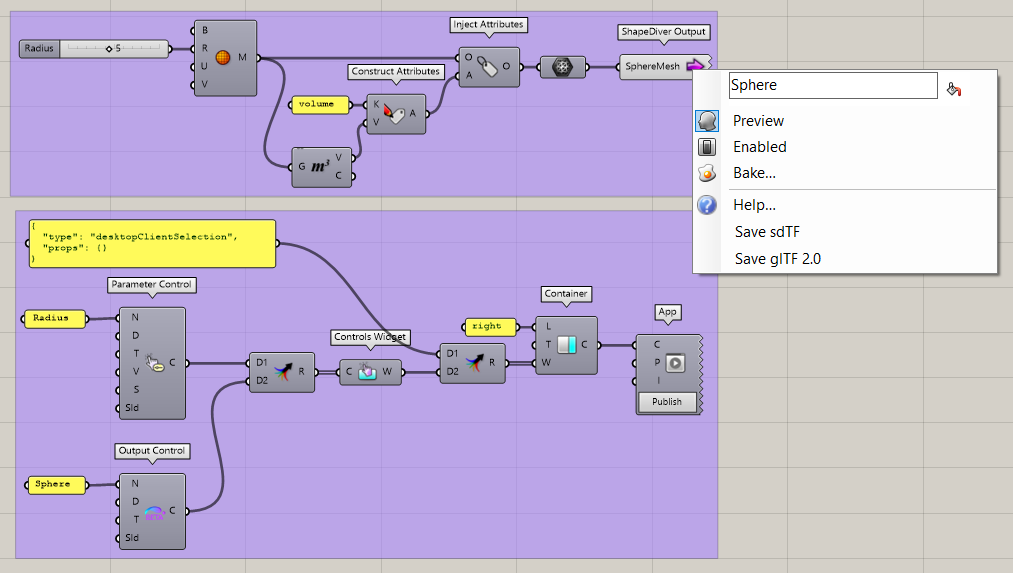
We then build a minimal App containing a single Controls Widget with two controls:
-
One Parameter Control to expose the “Radius” slider.
-
One Output Control corresponding to the “Sphere” ShapeDiver Output.
The App also includes the Desktop Client connection widget (beta version) which is used to establish the connection.
The resulting App includes the output control we defined; it consists of a button that becomes enabled once a desktop client connection is active. Clicking on the button triggers the export of the output contents to the connected desktop client.
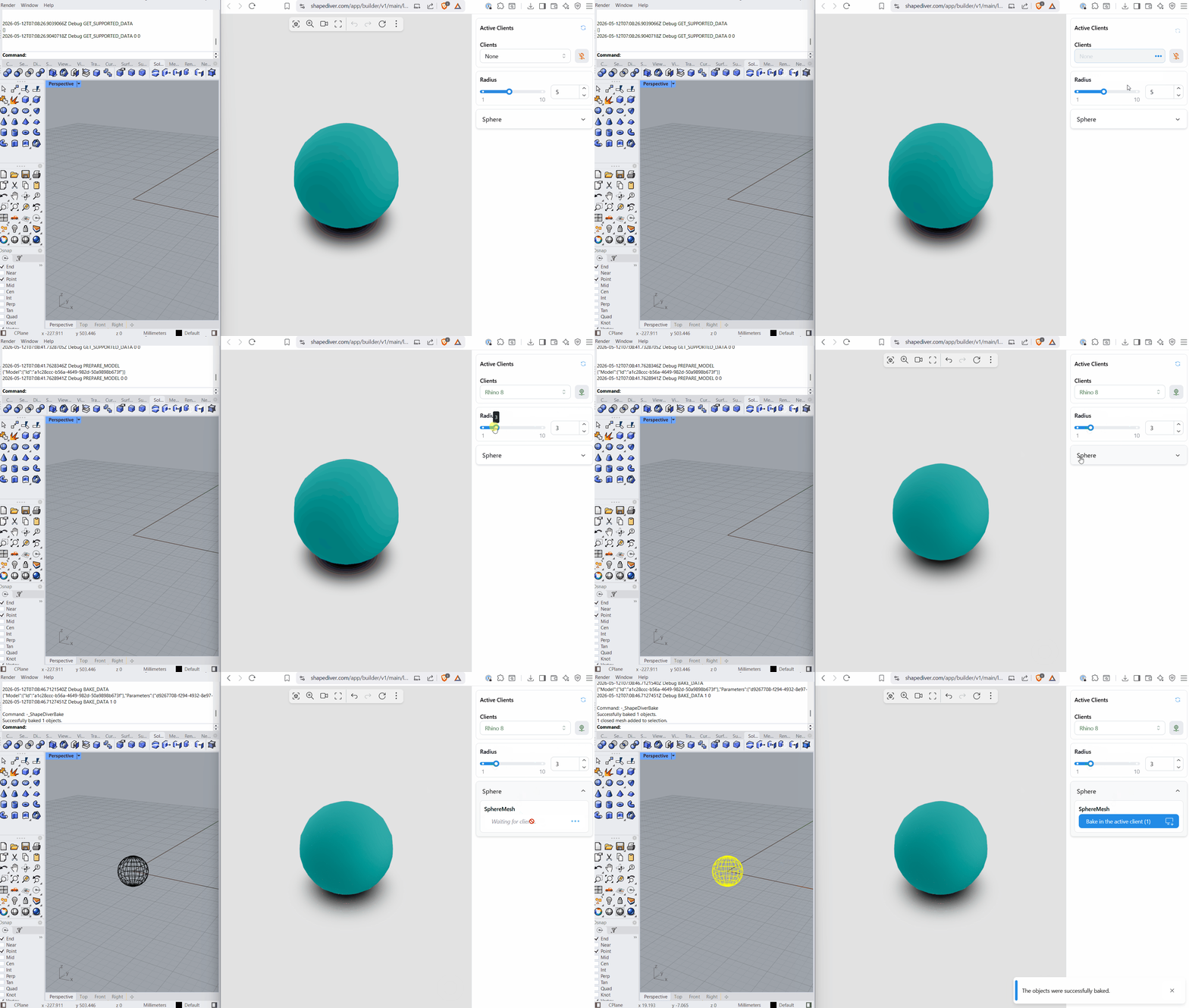
Note that the object exported to Rhino contains a user text corresponding to the stored attribute. Read more about how attributes map to properties in a Rhino document here.